

In today’s content-driven landscape, video editing tools play a critical role in content creation, marketing, and brand growth. Movavi Video Editor has emerged as a powerful yet user-friendly solution for creators looking to produce high-quality videos without complex learning curves.
This guide covers everything you need to know about Movavi Video Editor, including features, benefits, pricing, and why it stands out in the competitive video editing space.
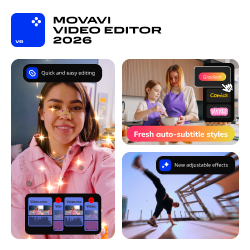
What is Movavi Video Editor?
Movavi Video Editor is an intuitive video editing software designed for beginners, marketers, and content creators. It provides a balance between simplicity and advanced functionality, allowing users to create professional-grade videos quickly.
Whether you’re editing YouTube content, ad creatives, or social media videos, Movavi offers tools to streamline the process efficiently.
Key Features of Movavi Video Editor
1. Easy-to-Use Interface
One of the biggest advantages of Movavi Video Editor is its drag-and-drop interface, making it ideal for beginners with no prior editing experience.
2. Advanced Editing Tools
Despite being beginner-friendly, it includes powerful tools such as:
-
Cut, trim, and merge videos
-
Color correction & filters
-
Chroma key (green screen editing)
-
Motion tracking
3. Built-in Effects & Transitions
Movavi provides a wide range of:
-
Transitions
-
Animated titles
-
Filters & overlays
These features are essential for engaging video content creation.
4. Audio Editing Capabilities
You can:
-
Remove background noise
-
Add voiceovers
-
Sync audio with video
This is especially useful for YouTube creators and advertisers.

5. Fast Rendering & Export
Movavi supports high-speed rendering, enabling quick exports in multiple formats, including:
-
MP4
-
AVI
-
MOV
Benefits of Using Movavi Video Editor
1. Beginner-Friendly Yet Powerful
Unlike complex tools, Movavi strikes the perfect balance between ease of use and professional features.
2. Cost-Effective Solution
Compared to premium software like Adobe tools, Movavi is a budget-friendly video editing software.
3. Ideal for Marketing & Ads
For performance marketers:
-
Create high-converting ad creatives
-
Optimize videos for social media campaigns
-
Quickly test multiple creatives
4. Time-Saving Workflow
Its simple interface reduces editing time, allowing faster campaign execution and scaling.
Movavi Video Editor Pricing
Movavi offers flexible pricing options:
-
Free Trial (with watermark)
-
Paid Version (one-time or subscription)
The paid version unlocks:
-
Full export without watermark
-
Premium effects
-
Advanced editing tools
Final Verdict
If you’re looking for a simple, efficient, and cost-effective video editing solution, Movavi Video Editor is a strong contender. It’s especially valuable for performance marketers and affiliate professionals who need to create and test video creatives at scale.
It may not replace high-end tools for advanced editors, but for speed, usability, and ROI-focused workflows, Movavi delivers excellent value.
